The camera
One-time purchase
- Live view and recording
- AI detection: people, vehicles, animals and more
- Alerts, even when the app is closed
- Unlimited cameras and alert rules
- Privacy pause and alert schedules
Coming soon · join the waitlist
HomeWatch is a smart camera with built-in AI, plus an iPhone app. The AI runs on the camera itself and recognizes people, vehicles, animals and more, then sends video straight to your phone. No account, no cloud storage, no subscription required.
How it works
The camera watches for motion and only takes a closer look when something in view moves.
AI running on the camera itself recognizes people, vehicles, animals and more. Nothing is sent to the cloud to be analyzed.
HomeWatch checks your alert rules (which camera, what it saw, what time) and notifies you, even when the app is closed.
A short clip of what happened is saved on your phone, ready to watch. Snapshots and manual recordings go to Photos.
Features
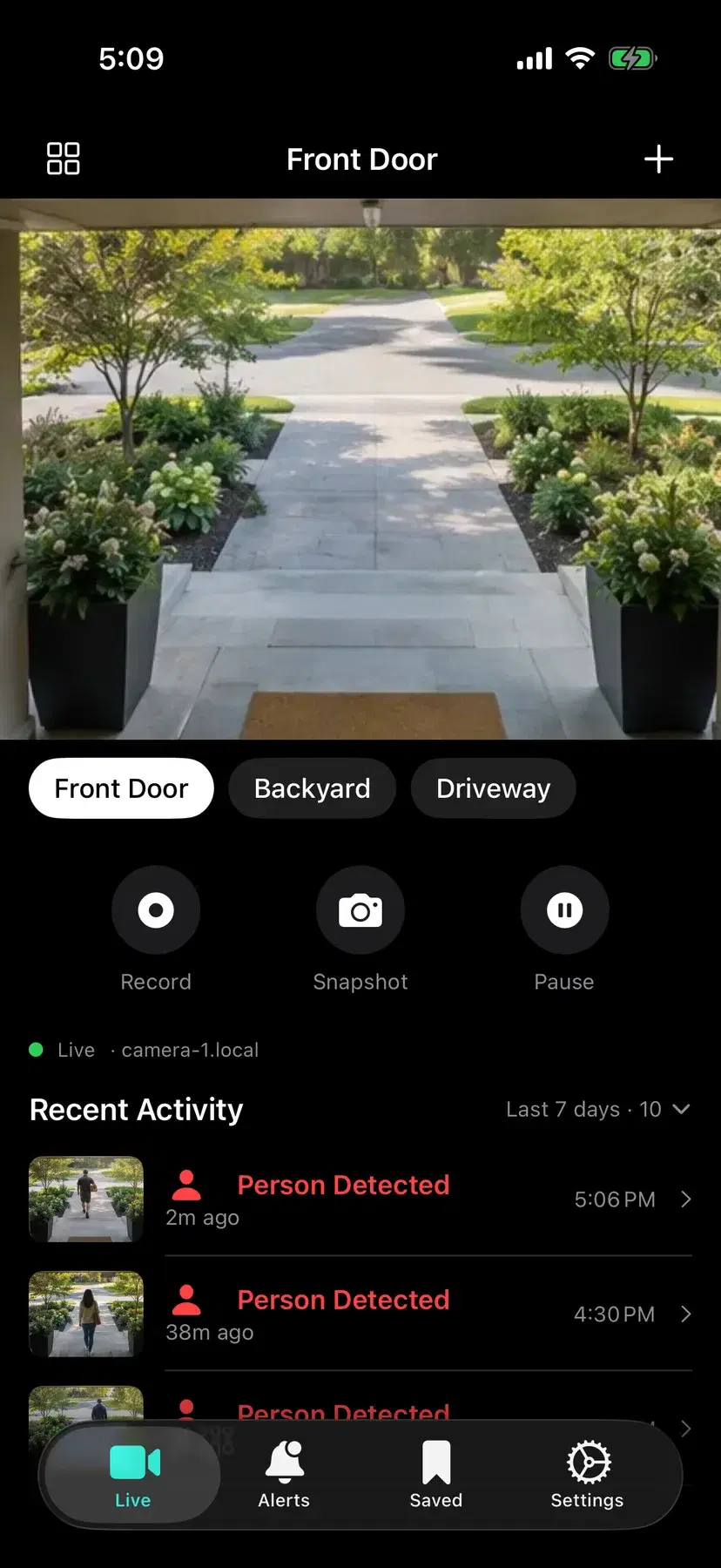
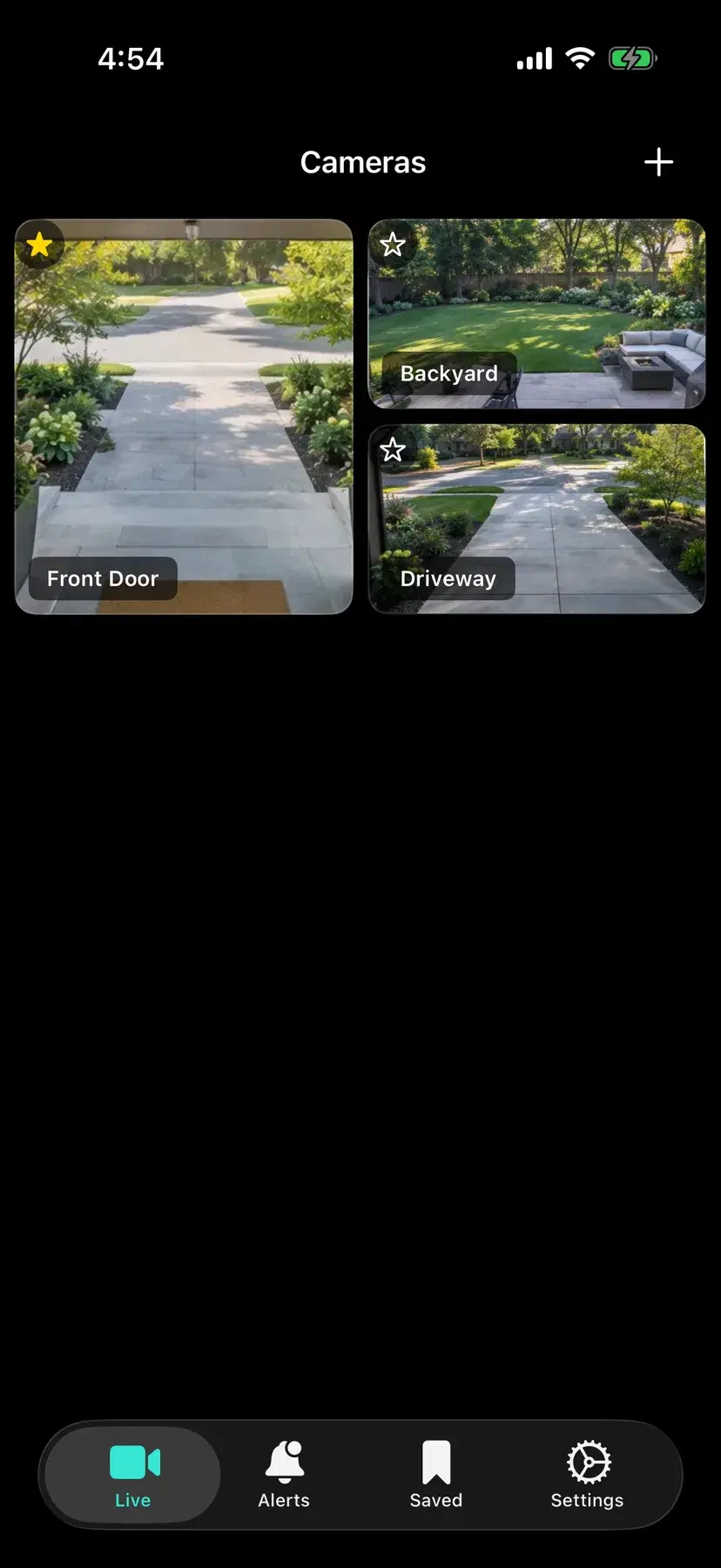
Watch a single camera or see them all in a grid. Your favorite camera gets the big tile. Tap to focus, swipe to switch.
Recognizes people, vehicles, animals and more, right on the camera. Your video isn’t uploaded anywhere to be analyzed.
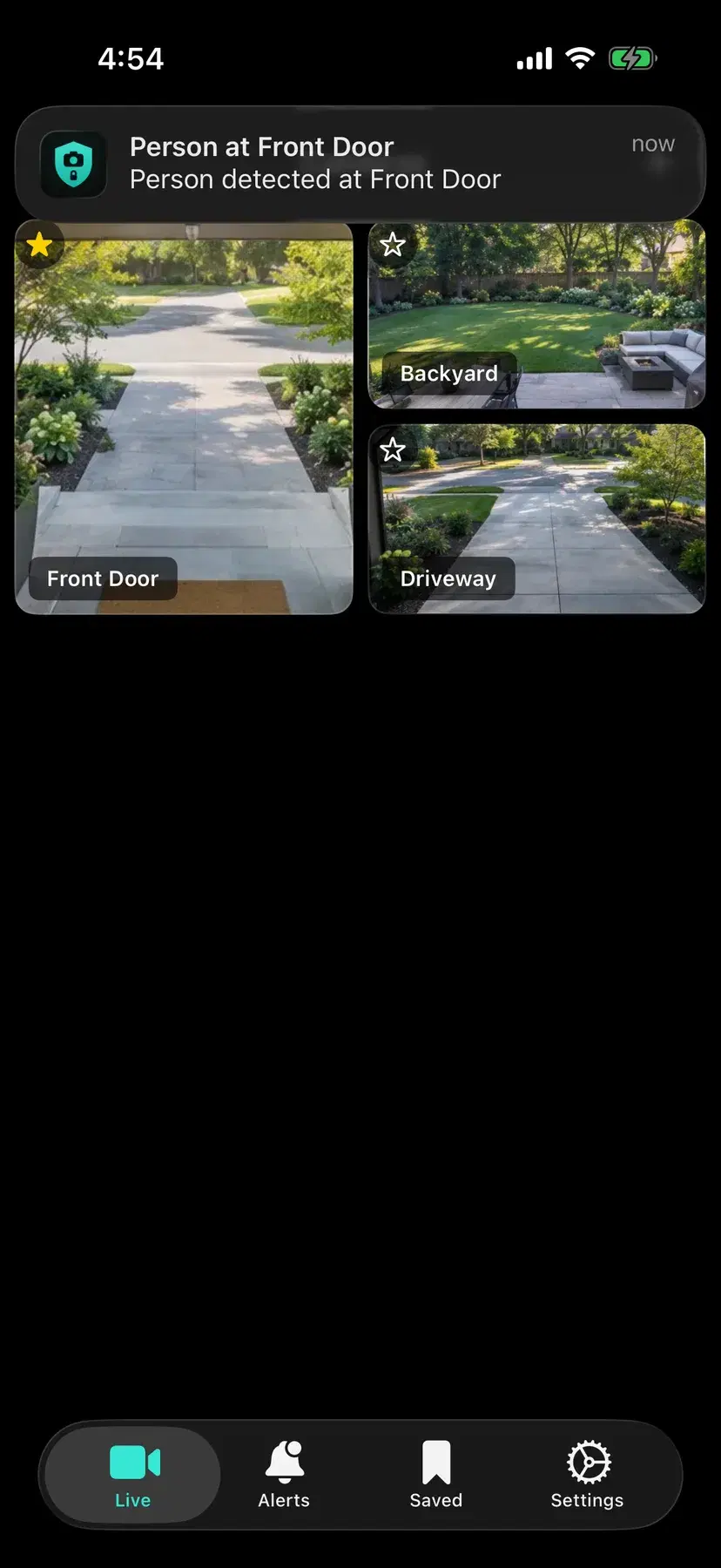
Get notified the moment something happens, with the details encrypted so the delivery service can’t see them.
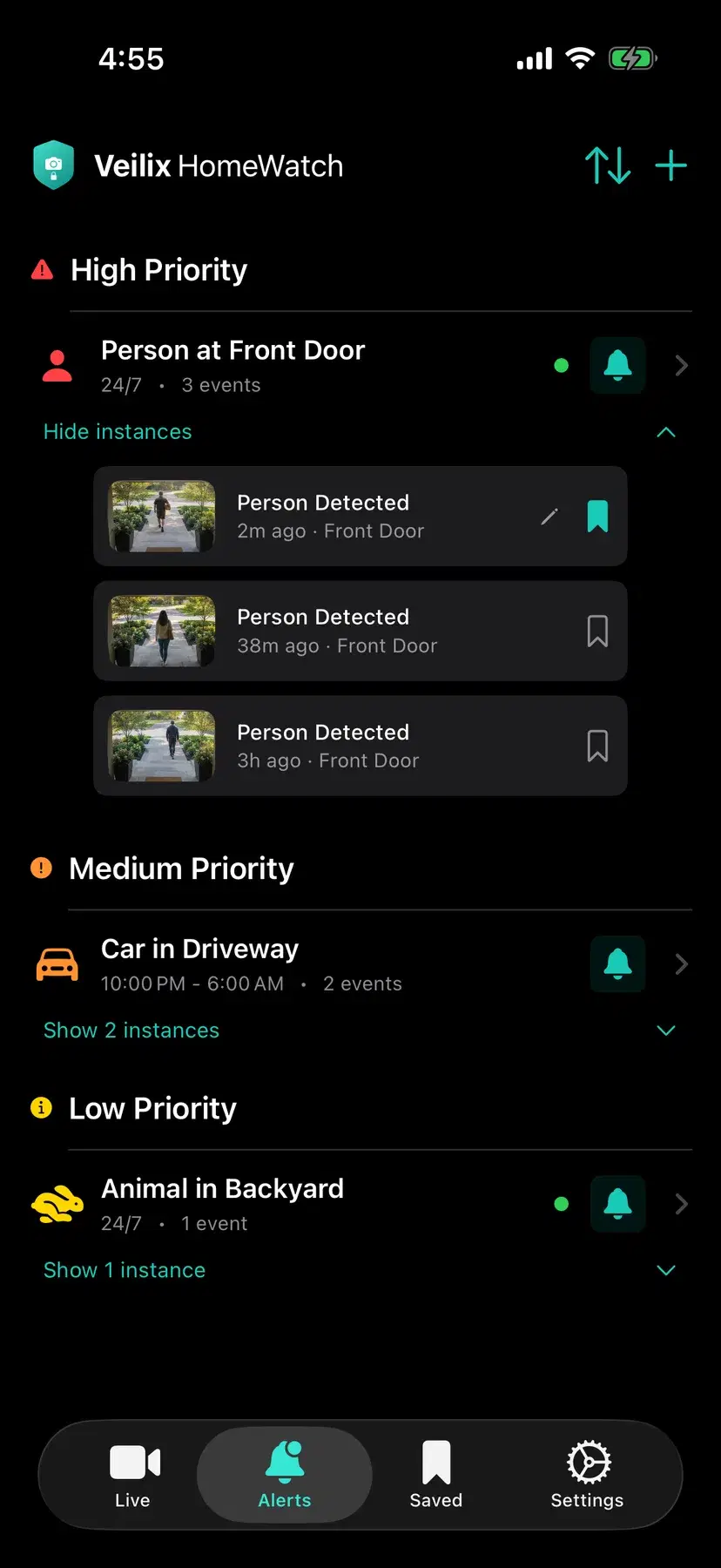
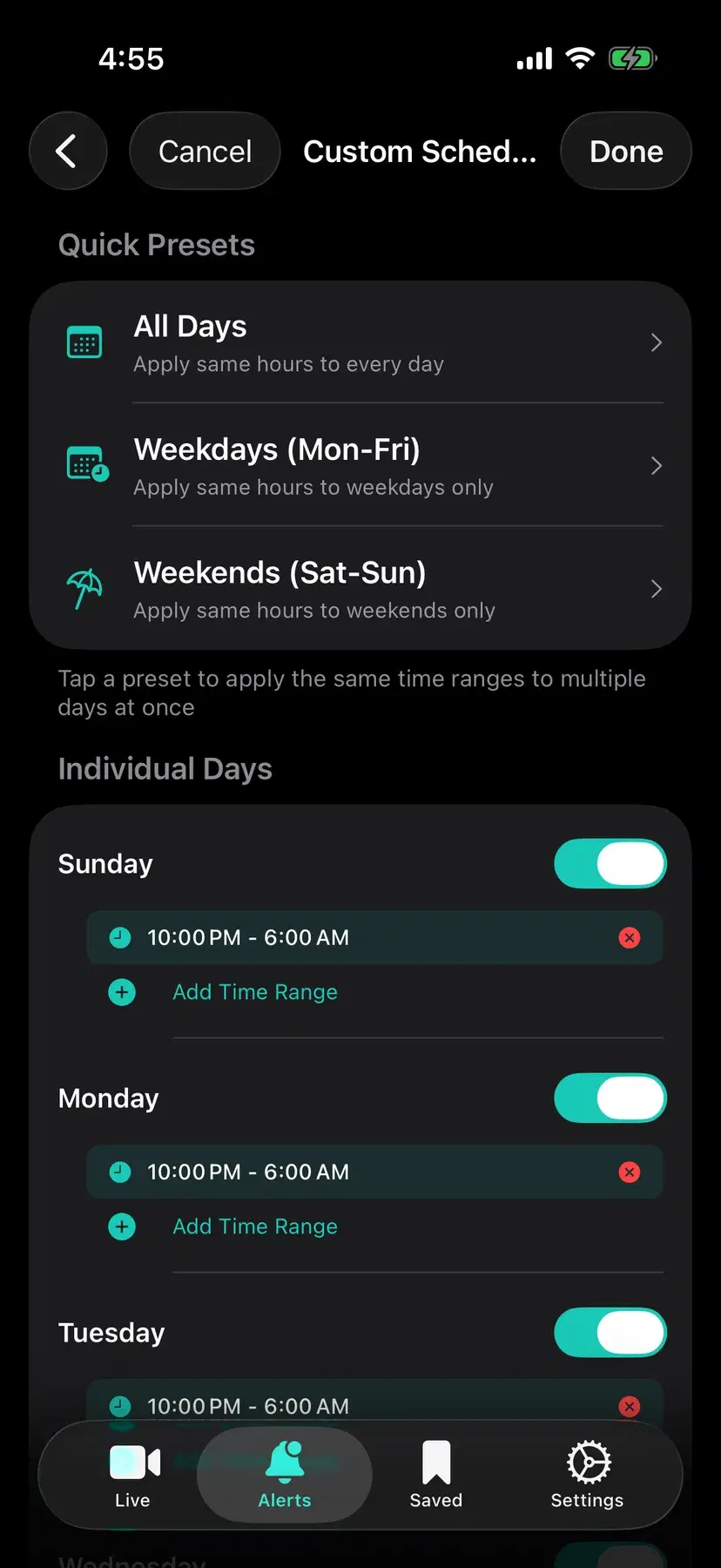
Choose which cameras and what kinds of detections alert you, and when, like only 10 PM to 6 AM. Repeat alerts pause automatically so one visitor doesn’t flood your phone.
Check in from work or vacation. Video is encrypted end to end, from your camera straight to your phone.
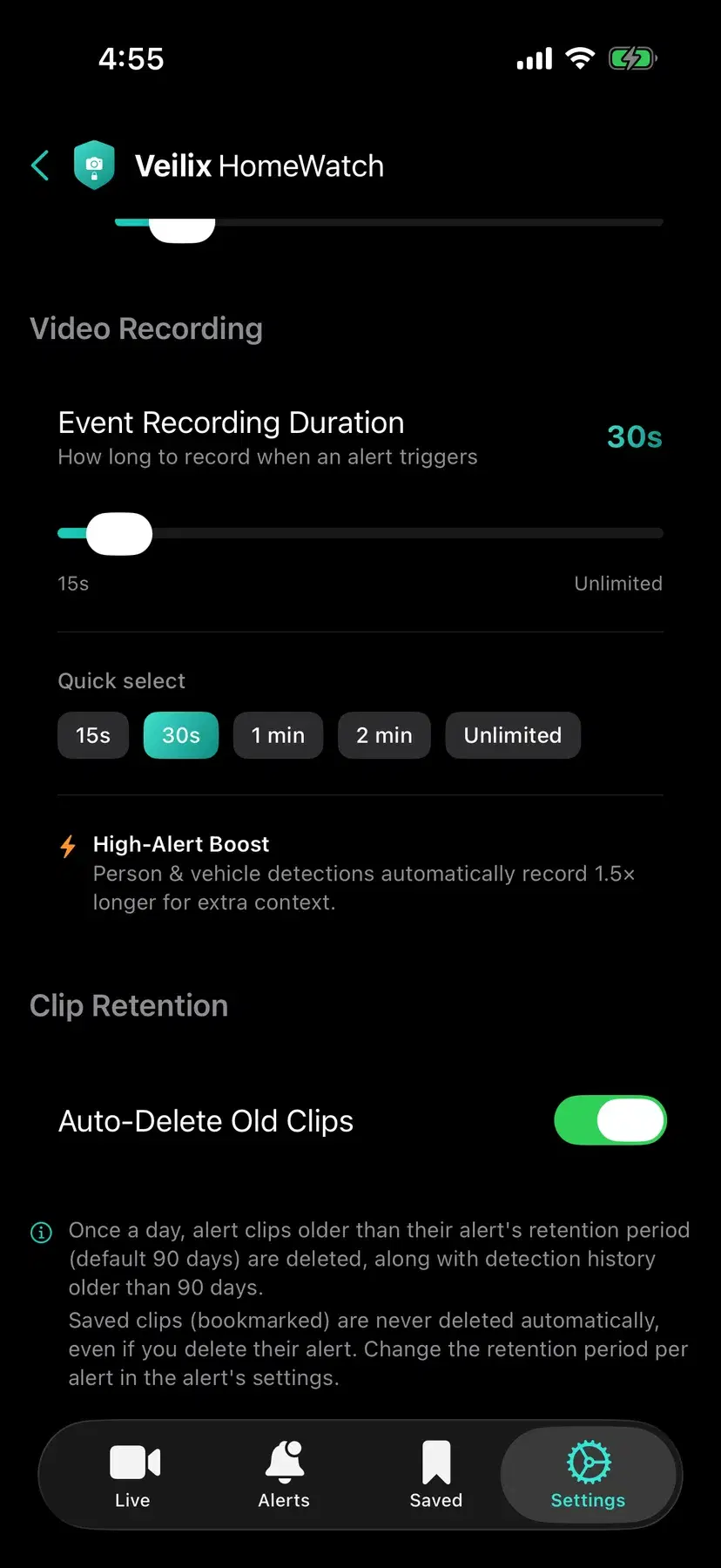
Detections record a clip (15 seconds to 5 minutes) saved in the app. Take snapshots and recordings anytime.
Having guests over? Pause the camera with one tap, now or until a time you choose.
Scan a QR code to pair your phone. No account to create, no password to remember.
The app
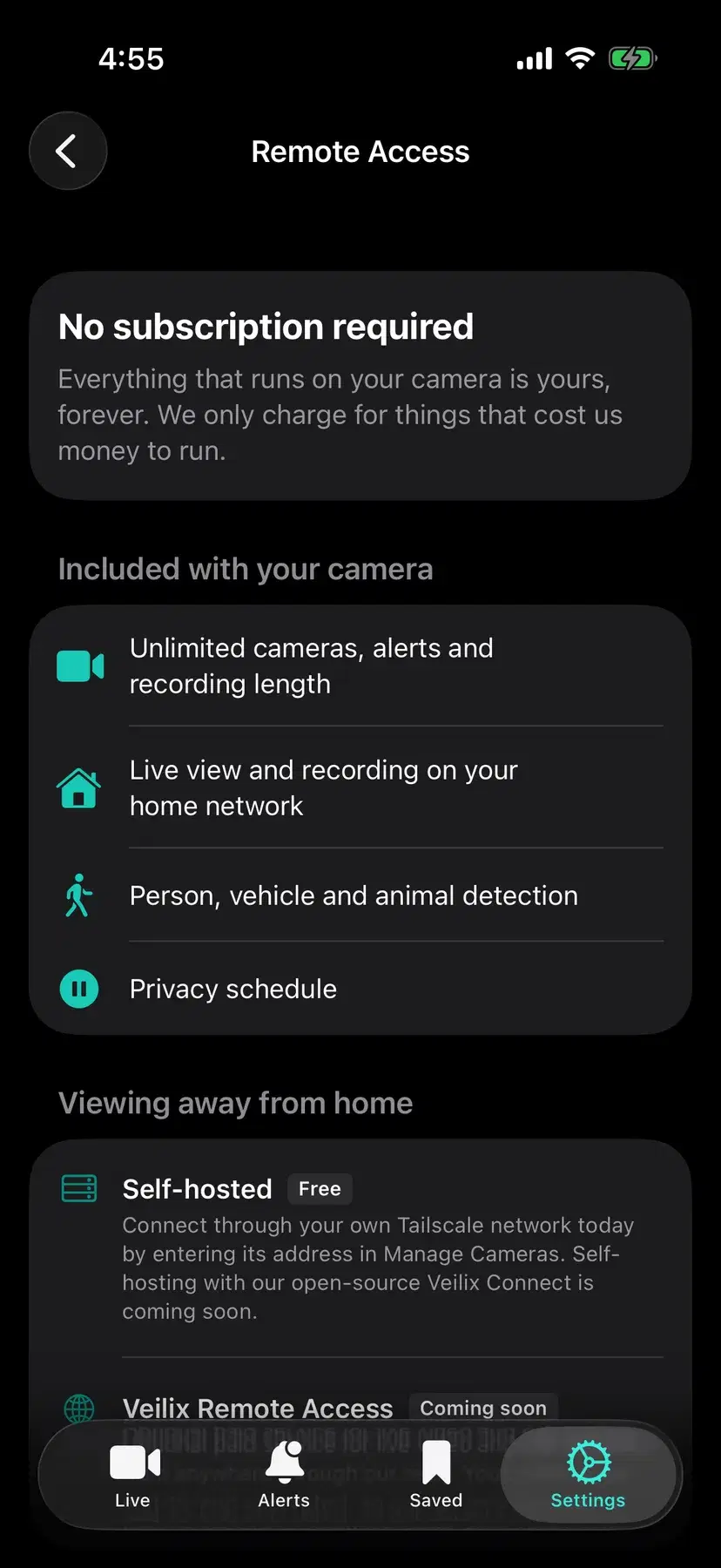
These are real screenshots from the HomeWatch app, using sample camera names and data. Camera images in them may be AI-generated to protect the privacy of our testers’ homes.
Privacy and security
Most cameras send your footage to a company’s servers. HomeWatch doesn’t. The AI runs on the camera, your video goes to your phone, and there’s no Veilix account for anyone to break into.
When you watch from away, the video is encrypted end to end. Even our servers can’t see it.
Built in
Coming soon
What we’re working on now, and what’s on the roadmap.
Our Apple Developer enrollment is underway. Once it’s approved, HomeWatch heads to TestFlight and then the App Store.
The software that connects your phone to your camera is open source, so anyone can check that we can’t see your video. You can even run it yourself for free.
Packages at the door and more, added in free updates.
A calm, monitoring-only view with detection alerts turned off, using the same camera and app.
HomeWatch is not a medical device. Don’t rely on it as the only way to monitor a child.
Pricing
We only charge for things that cost us money to run. Everything that runs on your camera and phone is included, forever. Prices will be announced at launch.
The camera
Remote viewing · self-hosted
Run our open-source Veilix Connect software yourself, or use your own Tailscale network. Free, always.
Remote viewing · hosted
Rather not run anything yourself? Watch from anywhere through a relay we run. It’s the one paid option, priced per household, because relaying video costs us money. Your video stays encrypted the whole way.
FAQ
Not yet. HomeWatch is coming soon. Join the waitlist and we’ll email you when it’s available.
Prices will be announced at launch. The camera is a one-time purchase with no required subscription. The only paid option is hosted remote viewing, because relaying video costs us money to run.
An iPhone running iOS 17.2 or later and a HomeWatch camera. The app isn’t on the App Store yet.
People, vehicles and animals today, with more on the way in free updates. The AI runs on the camera itself, so your video never has to be uploaded to be analyzed.
Yes. The video is encrypted end to end, from your camera to your phone. Most of the time it goes straight there; when a direct connection isn’t possible, our relay passes it along without being able to see it. You can also run the open-source connection software yourself, for free.
Yes. Alerts arrive even when the app is closed, and their details are encrypted so the service that delivers them can’t read them.
On your phone, inside the app. Snapshots and manual recordings are saved to Photos. The camera keeps recent detections and snapshots on its own storage. Nothing is uploaded to Veilix.
There’s no account and no analytics in the app, and we never receive your video. To set up remote viewing, our connection service only sees what it needs to connect you, like when a connection happens. This website collects only your email address, if you join the waitlist. It has no analytics or ad trackers.
A monitoring-only mode is on the roadmap. HomeWatch is not a medical device and shouldn’t be the only way you monitor a child.
The software that connects your phone to your camera, Veilix Connect, is open source, so anyone can check that we can’t see your video. The iPhone app is closed source.
Coming soon
HomeWatch is coming soon. Leave your email and we’ll let you know when it’s ready.